
You’re Almost There!
Follow these steps to activate your free 3D Spaces demo and invite others to join.
SCROLL DOWN FOR NEXT STEPS
What’s Next?
Get set up in just a few minutes. Follow the steps below to create your account and access your 3D workspace.
Check Your Email:
Look for an email from Tech With Heart Foundation with your 3D Demo link, key details, and helpful instructions. It also contains additional information, tips, and resources to guide you through the demo experience—keep it for future reference.
3D Space Access
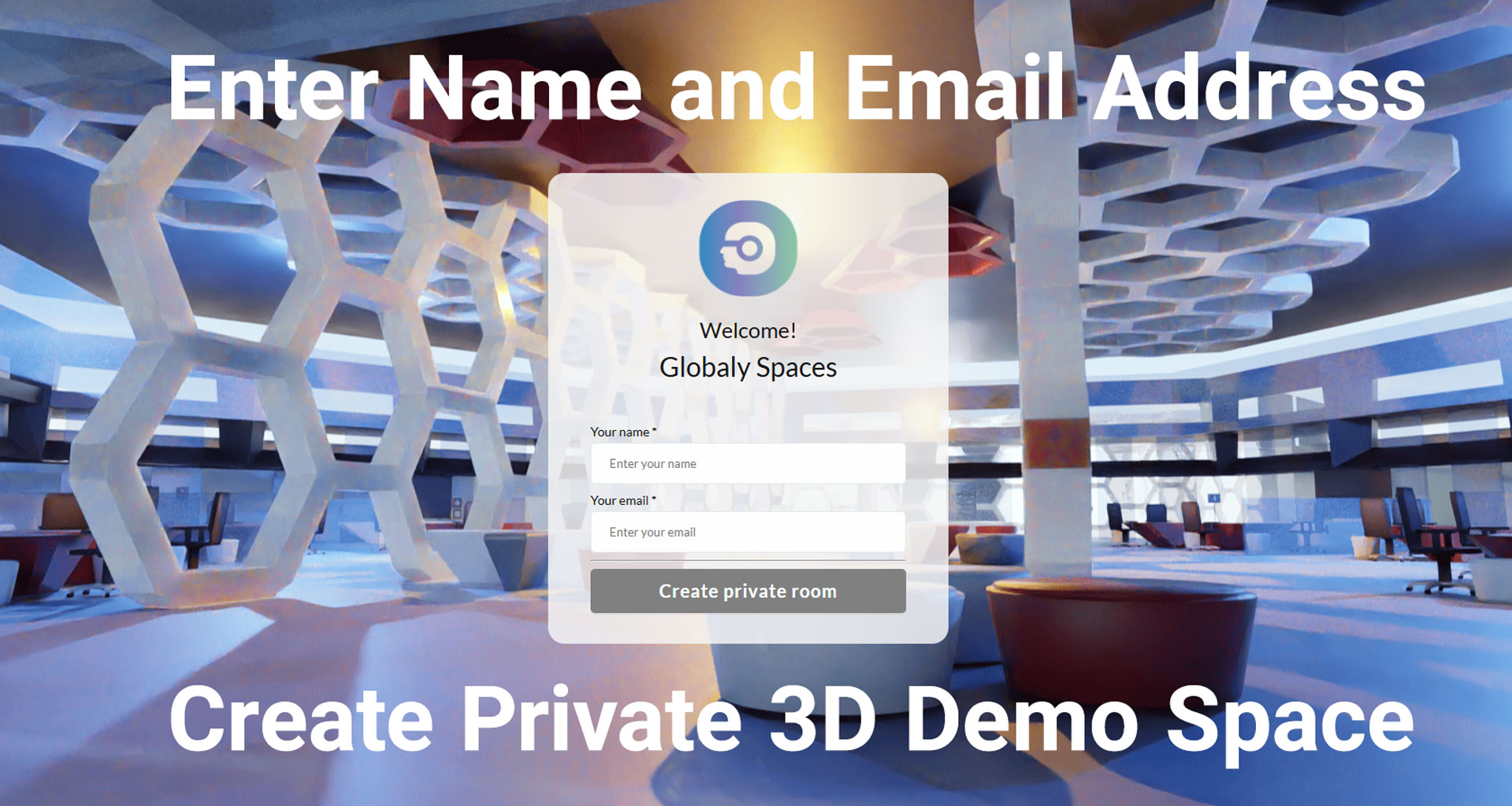
Use the link (below) to access the 3D Demo space and enter your Name and Email.
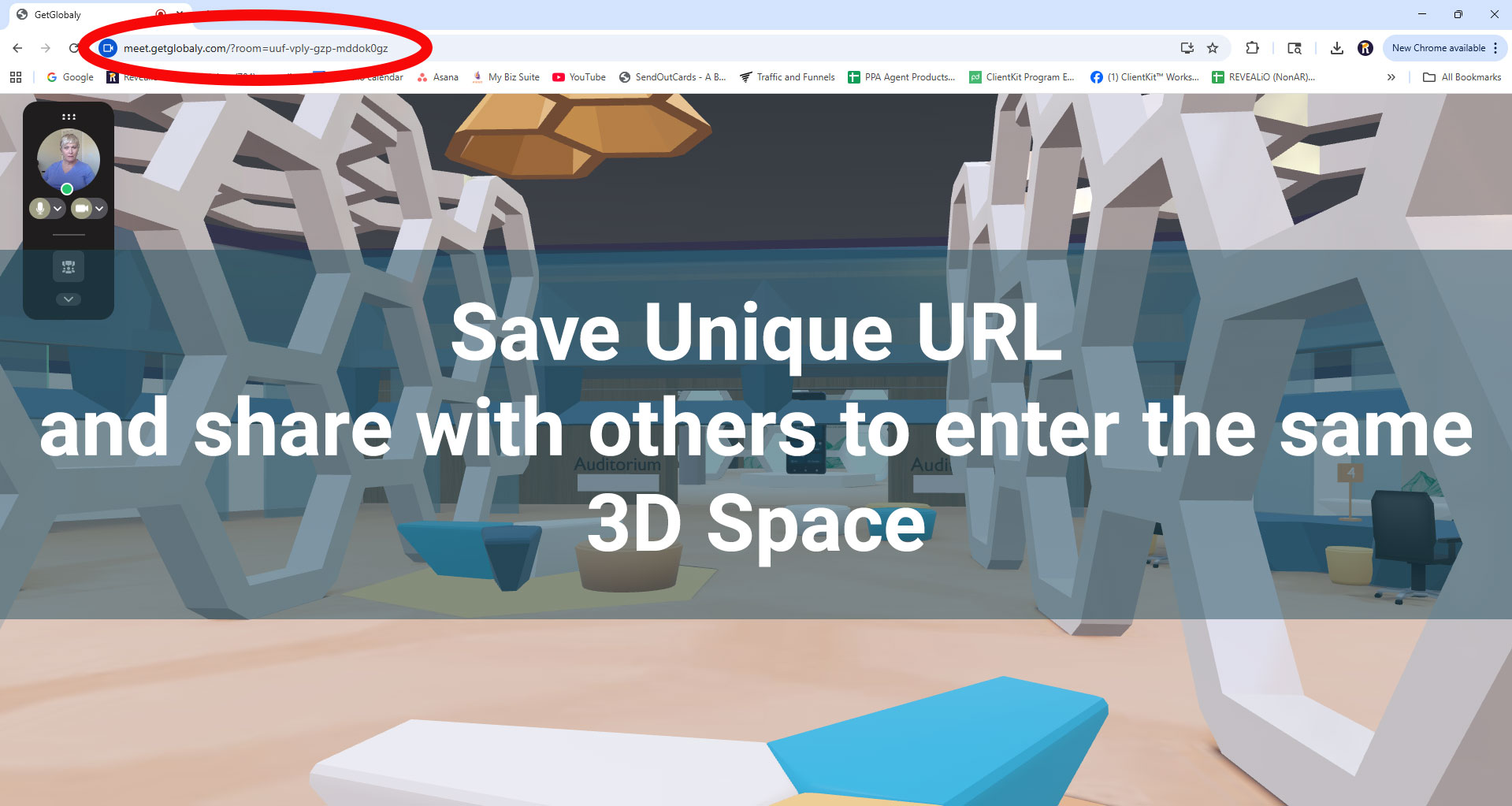
Once inside, check your browser’s address bar, and copy and save the URL. This URL is your Unique 3D Space Link.
Be Ready to Explore:
Use your Unique 3D Space Link URL to re-enter your 3D Demo Space whenever you like. Share this link with guests so they can join you, participate in meetings, collaborate on projects, and experience your immersive environment in real time.
⚠️ Important: The access link on this page is the same for all guests. Your Unique Space Link only appears after you enter the 3D space — be sure to copy and save it!
Step Inside: Learn the Basics in Minutes
Learn the basics of navigating your new 3D Space in just a few minutes. This quick tutorial will show you how to move around, find your unique link, and begin exploring the interactive features. Watch the video and browse the step-by-step visuals below to get comfortable before you invite others in.
Brought to you by Tech With Heart Foundation, 501 (c)(3).
Sponsored by Revealio, Inc. Powered by Globaly